
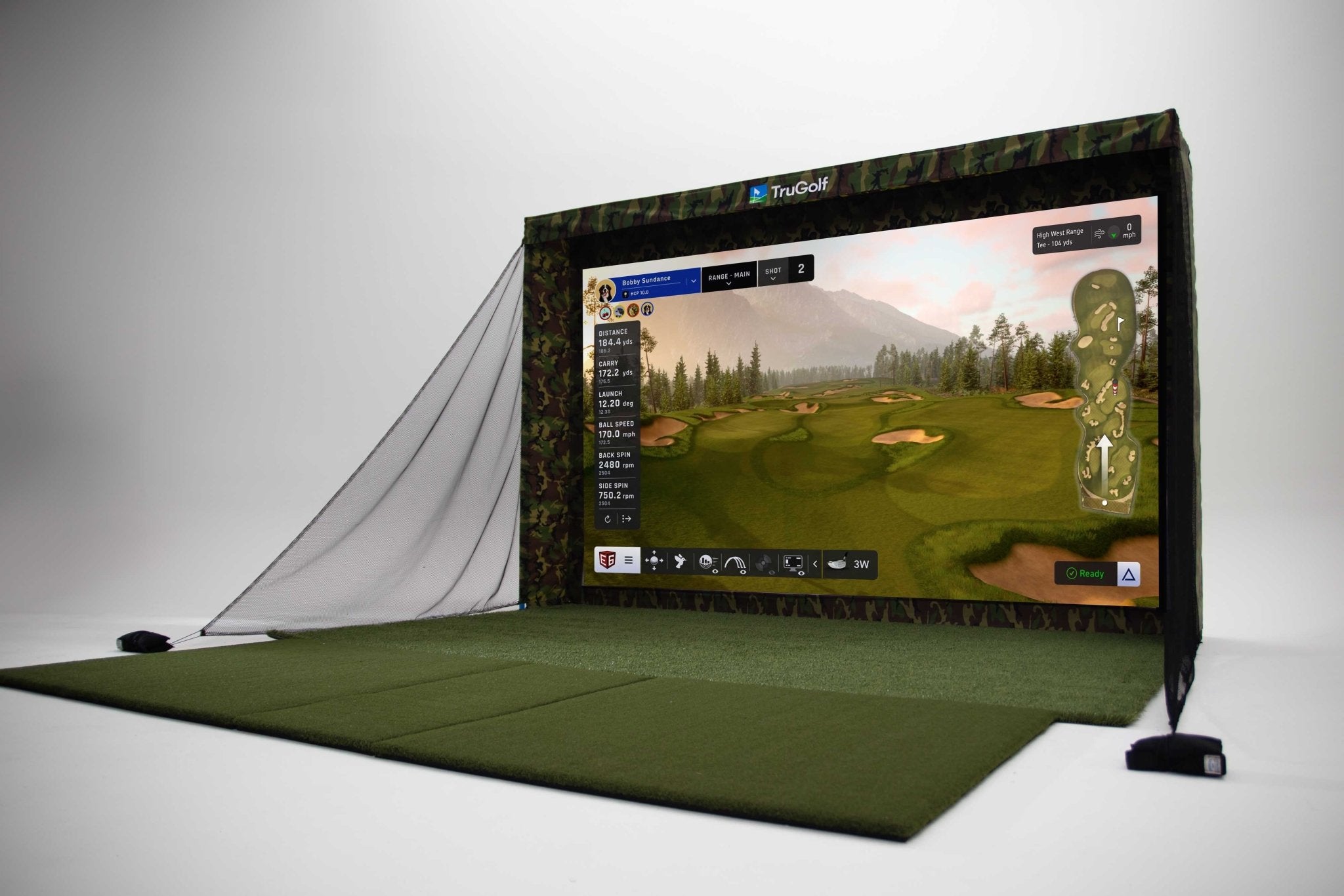
It’s the first question almost everyone asks. You’ve got a basement, a garage, or a bonus room you’ve been eyeing — and you want to know if a golf simulator will actually fit. The short answer is: it depends. The longer answer is what this post is about.
Space requirements for a home golf simulator aren’t one-size-fits-all. They vary based on your height, your swing, the equipment you choose, and how your room is configured. But there are clear guidelines that apply to most situations — and understanding them upfront will save you a lot of headaches down the road.
Let’s walk through each dimension and what you actually need to plan for.
Ceiling Height: The Most Common Dealbreaker
Of all the dimensions in your room, ceiling height is the one that trips people up most. It’s also the hardest to work around — you can rearrange furniture, but you can’t raise a ceiling without a major renovation.
Here’s the general guidance:
- 8.5 feet: Workable for shorter players with a flatter swing plane. Not ideal for everyone.
- 9 feet: The comfortable minimum for most golfers.
- 10 feet: The sweet spot. Gives most players plenty of room to swing naturally with any club, including the driver.
- 10+ feet: Ideal for taller players, those with an upright swing, or anyone who wants zero concerns about overhead clearance.
Keep in mind that your actual usable ceiling height may be less than the raw measurement. Ductwork, beams, joists, lighting fixtures, and projector mounts all take up space. A room with a 9-foot ceiling and exposed ductwork may only give you 8 feet of real clearance at the swing point.
The takeaway: Don’t assume your ceiling is high enough — measure carefully, and measure at the point where you’ll actually be standing to swing.
Room Depth: Give Yourself Room to Swing Through
Room depth — the distance from where you stand to the screen — is about safety and accuracy as much as comfort. You need enough distance behind you to swing freely, and enough space in front to allow the ball to reach the screen at a safe speed.
General depth recommendations:
- 10 feet minimum: Very tight. Possible with the right setup, but limits your options significantly.
- 12–15 feet: The practical sweet spot for most home golf simulators. Gives you comfortable room to swing and good sensor performance for most launch monitors.
- 16+ feet: Ideal. Provides maximum flexibility for equipment placement, swing room, and screen-to-player distance.
An important note on sensor placement: Some launch monitors are camera-based and need to be positioned a specific distance from the ball. Others are radar-based and can be placed at the side or behind you. The type of launch monitor you choose affects how much room depth you actually need — which is one reason equipment selection and room planning should happen together, not separately.
Room Width: More Than You Might Think
Width is often underestimated in simulator planning. People focus on ceiling height and depth, then realize too late that a narrow room creates problems of its own.
Width requirements to plan for:
- 10 feet minimum: Tight for most golfers. Works if you’re a shorter player with a compact swing and don’t plan to hit wide shots.
- 12 feet: Comfortable for most players. Allows a natural swing without feeling cramped.
- 14–15+ feet: Ideal. Provides room for the simulator setup, optional side seating, and easy movement around the space.
Width also affects screen size. A wider room allows for a larger impact screen, which improves the visual experience and gives you more room for the ball to strike the screen on mishits and wide shots. A narrow room limits your screen width and can lead to frustrating off-screen impacts.
Quick Reference: Minimum vs. Ideal Dimensions
| Dimension | Minimum | Ideal |
|---|---|---|
| Ceiling Height | 8.5 feet | 10+ feet |
| Room Depth | 10 feet | 14–16+ feet |
| Room Width | 10 feet | 14–15+ feet |
How Common Spaces Stack Up
Most homeowners are working with one of a few common room types. Here’s how they typically compare:
Basement
Basements are the most popular location for home golf simulators — and for good reason. They’re typically out of the main living area, have solid concrete walls that handle impact noise well, and often have the square footage needed for a proper setup.
The main variable is ceiling height. Older homes with low-clearance basement ceilings (7–8 feet) can be challenging. Newer construction with 9–10-foot basement ceilings is generally well-suited. Watch for ductwork and support beams that reduce usable height.
Garage
Garages offer some of the best raw dimensions for a golf simulator — high ceilings, wide open floor plans, and no structural columns in the swing path. A two-car garage typically has more than enough width and depth.
The tradeoffs are climate control (garages can be very hot in summer and very cold in winter) and flooring (concrete is hard on your body during long practice sessions). Both are solvable with the right planning and materials.
Bonus Room or Spare Bedroom
Bonus rooms and spare bedrooms work well when they’re large enough — typically at least 12 × 14 feet with 9-foot ceilings. The main challenges are ceiling height (many interior rooms have standard 8-foot ceilings) and sound — impact noise from the screen can travel through shared walls and floors.
Dedicated Golf Studio
Some homeowners build or convert a space specifically for a golf simulator. This is the best-case scenario from a design standpoint — the room can be planned around the simulator from the start, with the right dimensions, ceiling height, insulation, lighting, and finish level built in intentionally.
Minimum Dimensions vs. Ideal Dimensions: What’s the Difference in Practice?
A lot of online guides give you the minimum dimensions for a golf simulator and leave it at that. But there’s a real difference between a setup that technically fits and one that’s genuinely enjoyable to use day after day.
At minimum dimensions, you may find:
- Your swing feels restricted or you’re subconsciously holding back
- Launch monitor performance is compromised due to tight sensor placement
- The screen feels cramped, especially on mishits or wide shots
- You have little room for a hitting mat, furniture, or any seating
At ideal dimensions, you get:
- Full, natural swings with every club in the bag, including driver
- Flexibility in equipment placement and launch monitor positioning
- A larger screen that creates a more immersive playing experience
- Room for the space to actually feel like a golf room — not just a cramped setup
If you’re choosing between a space that barely meets minimums and one that meets ideal dimensions, the difference in day-to-day enjoyment is significant.
Other Factors That Affect Space Planning
Raw dimensions aren’t the whole story. A few other variables that matter during the design phase:
Swing path and stance. Left-handed vs. right-handed golfers face different offset requirements relative to the screen. Your natural stance width and swing plane affect how much room you need on either side of the hitting position.
Launch monitor type. Radar-based monitors have different placement requirements than camera-based systems. This directly affects how you use your available depth.
Screen and enclosure size. A larger screen requires more width and depth. The enclosure — the framework that surrounds and protects the screen — also takes up wall space and needs to be factored into your room dimensions.
Flooring and mat placement. A quality hitting mat adds height (typically 1–2 inches) and extends a few feet behind the hitting position. In tight spaces, this matters.
Projector throw distance. Most simulator setups use a short-throw projector mounted behind or above the golfer. The projector’s throw distance and angle need to align with your room depth to fill the screen correctly without distortion.
What If My Space Doesn’t Quite Measure Up?
Don’t give up on the idea just yet. Tight spaces can often be made to work with the right design approach. A few strategies that help:
- Choose a camera-based launch monitor that can be positioned in a smaller footprint
- Select a shorter-throw projector to reduce the depth requirement
- Use a curved or angled enclosure design to maximize usable swing space
- Plan ceiling treatment around any obstructions (beams, ductwork) to maintain safe clearance at the swing point
- Prioritize width over depth if you can only optimize one dimension
The key is that these decisions need to be made together, as part of an integrated design — not by ordering equipment and hoping it fits.
The Bottom Line
There’s no single answer to how much space you need for a golf simulator. The right answer depends on your height, your swing, your equipment, and how you want to use the space. What is clear is that space planning should come before equipment selection — not after.
If you’re working with a space that seems like it might work but you’re not sure, the best thing you can do is get eyes on it from someone who has designed and installed a lot of simulators. A good design consultation will tell you quickly whether your space works, what limitations you’re working with, and what the best approach looks like for your specific situation.
Designed Golf offers free design consultations for homeowners and businesses in the Greater St. Louis Metro area. We’ll assess your space, walk you through your options, and help you understand exactly what’s possible — with no pressure and no obligation. Schedule your free consultation today.